
Those of you who follow me already know that I am not the kind of person who feels comfortable staying in the comfort zone. To grow, you need to get out of it, and that is why I try to do so whenever something appears that I think could help me improve.
That is exactly what the Dvorak keyboard promises through a key layout that, in theory, allows you to type faster, move your fingers less, get less tired and, ultimately, be more efficient.
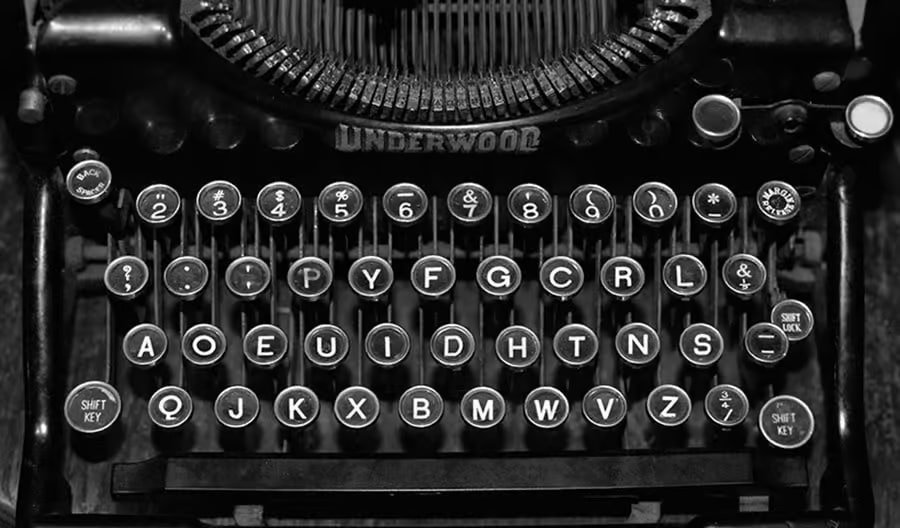
As if there were not already enough reasons to put it to the test, it is the keyboard of the 0.0001%. So, although I had read opinions from people who said it was worth it and from others who said it was not worth it at all, my curiosity reached such a point that I could not resist changing the settings in the operating system and starting to test it.
Do you want to know what my experience was like saying goodbye to QWERTY and switching to the Dvorak keyboard? I will tell you below.
Table of contents
Open Table of contents
- What Is the QWERTY Keyboard and Why Do We All Use It?
- Why I Decided to Try the Dvorak Keyboard
- The Process of Switching From QWERTY to Dvorak
- The Big Problem With Dvorak: Shortcuts
- Why I Went Back to QWERTY
- Does Dvorak Let You Type Faster?
- What I Learned From Using Dvorak
- What I Do Recommend to Type Faster
- Conclusion: Is Dvorak Worth Using?
What Is the QWERTY Keyboard and Why Do We All Use It?
The traditional keyboard is called QWERTY because of the first six letters that appear on the top row: Q, W, E, R, T, Y. The curious thing is that this layout was not created to type faster or more comfortably.
Its origin lies in 19th-century typewriters. At that time, the keys were arranged so that some frequently used letters were separated from each other to prevent the mechanisms from jamming, which means the keyboard layout we use today on computers, laptops and phones is still conditioned by the technical limitations of old machines.
Despite that, it remained over time and today it is the standard keyboard layout that everyone offers by default.
QWERTY may not be perfect or the most efficient, but it is everywhere. And that, as I learned later, matters much more than it seems.
Why I Decided to Try the Dvorak Keyboard
It all started when I was in my second year of baccalaureate. Comparing myself with some classmates, I realised I typed slowly and, to fix it, I started looking for ways to improve my speed.
First, I learned something I do recommend to everyone: typing with all ten fingers without looking at the keyboard. Getting there after many hours of practice was a before and after.
But while I was researching how to type faster, I discovered the Dvorak keyboard and its alternative layout, designed specifically to make typing faster and more comfortable.
Unlike QWERTY, its design takes into account the frequency of use of letters and the natural movement of the fingers. For example, many of the most commonly used letters, including vowels, are placed on the home row.
The idea is simple: if the letters you use most are closer to the natural position of your hands, you type with less effort. On paper, it made perfect sense.
On top of that, almost all the opinions from people who had switched from QWERTY to Dvorak were more than positive. Almost all of them emphasised the same things: more comfort, more speed and less fatigue among people who used it for a large part of the day. So I decided to try it.
The Process of Switching From QWERTY to Dvorak
I am not going to lie to you, the change was pretty hard. At first, typing with Dvorak is like trying to write by hand with your weaker hand. You know exactly what you want to write, but your fingers do not respond. Your brain goes one way and your hands go another.
It did not take me long to realise that the muscle memory I had built over the years was tied to QWERTY. Finding the key I wanted slowed me down enormously, and the same happened with numbers and symbols. Everything was new, but if I managed to learn it, I would improve my writing speed, so I did not give up.
I spent hours and hours practising on typing websites. I typed, made mistakes, deleted and started again.
At first, it was desperate, but little by little I started to notice progress. I made fewer mistakes. I looked at the keyboard less. My hands started to reposition themselves on their own and I celebrated every small improvement in rhythm.
During the summer before starting university, I practised a lot. There came a point when I already felt quite comfortable typing in Dvorak. I had reached a decent speed and, on top of that, I noticed that I moved my fingers less.
The problem was that, as I improved with Dvorak, I lost fluency with QWERTY, and that was the beginning of the problem that made me rethink everything.
The Big Problem With Dvorak: Shortcuts
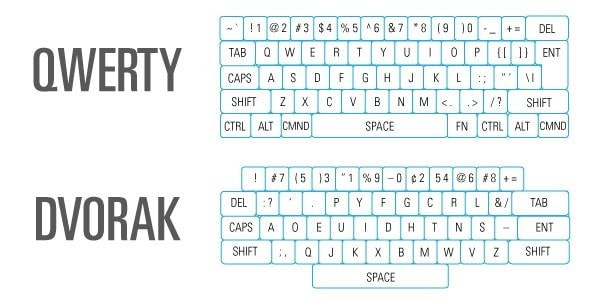
Once I was starting to type with a certain fluency, the real obstacle appeared: keyboard shortcuts.
In everyday use, besides writing words, it is essential to use commands such as copy, paste, save, open windows or switch tabs. And although some, like copy, are still Control + C, if you do it instinctively and press where the C used to be thinking it is still there, the result is nothing like what you expected.
In that situation, I basically had two options: reconfigure all the shortcuts in every programme and the operating system or learn all the Dvorak shortcuts from scratch.
The first option was a mess: some shortcuts could not be changed, others caused compatibility issues… so I chose the second option: learning everything all over again. And I did it, although the time cost was enormous.
For a while, everything seemed to be going well. On my laptop, with my configuration, Dvorak worked wonderfully. But when I started university, everything changed.
On the first day of practical classes, I sat down in a computer room and, since all the computers were configured in QWERTY, I looked for a way to change the layout to Dvorak through the operating system, but because I did not have administrator permissions, I could not. At that moment, I realised that every time I had to use a computer that was not my laptop, I was in trouble.
At university I had to use QWERTY, but on my laptop I was still using Dvorak, which stopped my brain from ever fully getting used to either one. To make matters worse, the password I had set to log in as a student was extremely long.
On top of that, the asterisks that appear for security while you type it did not let me see what I was writing, so the amount of time I lost every day as soon as I sat down at a computer that was not mine was huge.
I tried to type the password by looking at the physical letters on the keyboard and doing it slowly, but my fingers, already used to the Dvorak positions, sabotaged me again and again.
The computer would lock for a few minutes after several attempts and, when I finally managed to log in, the lecturer had already explained several steps of the task we were supposed to follow, which I had not been able to keep up with.
When I finally got in, I tried to change the keyboard layout to Dvorak, but I could not. Administrator permissions were required, so I tried from settings. Nothing. I tried through the terminal, and nothing. Terrible.
At least that day I understood something very important: a tool can be very efficient in theory and, in practice, become a real nightmare if, for whatever reason, it is not made for you.
Why I Went Back to QWERTY
Over time, I learned that the Dvorak system could work perfectly in my controlled environment: my laptop, with my configuration and my programmes, but the world is not configured for Dvorak.
I would pick up a friend’s phone and not know how to type properly, use a classroom computer and get stuck, borrow a laptop and become slow and clumsy. Using any device that was not part of my own setup became a barrier.
It was like having a very good electric car, fast and comfortable, but living somewhere with no chargers. In your garage, it works perfectly, but as soon as you hit the road, you have a problem.
That is exactly what happened to me with Dvorak. It may be more comfortable, better designed and capable of improving your productivity once you master it, but the truth is that, sooner or later, you have to use QWERTY and, when that moment comes, everything becomes harder.
QWERTY is the standard, so I went back to it. Luckily, the return was fairly simple and quick. In about two weeks, I had recovered practically the same level I had before switching. And I have stayed there ever since.
Does Dvorak Let You Type Faster?
It depends on who you ask. In my case, I did not notice a huge improvement in speed. What I did notice was more comfort. Because I moved my fingers less, typing for hours took less effort, but not enough to justify everything I have mentioned above.
There is also an important detail: Dvorak was mainly designed for writing in English, so when you write in Spanish, although there are improvements, they are not as significant. Maybe for someone who writes a lot in English, it makes more sense than it did for me.
What I Learned From Using Dvorak
Looking back, I think the mistake was confusing optimisation with productivity. Dvorak seemed like an improvement. And in some ways, it was. But the time I spent learning it, adapting to it, memorising shortcuts and then going back to QWERTY was too much for the benefit I got from it.
That time would have been much better spent learning to code better, write better, sell better or create better projects.
Sometimes we try to optimise small things thinking that the sum of all those small changes will translate into major improvements, but that is not always the case. Switching to Dvorak was one of those optimisations that, in my case, did not pay off.
What I Do Recommend to Type Faster
Although I do not recommend switching to Dvorak, I do recommend learning to type properly. Learning to type with all ten fingers without looking at the keyboard is absolutely worth it.
That really is a before and after. It allows you to go faster and work more fluently, without needing to break away from the standard everyone uses.
You can do it with free typing programmes, practice websites or classic tools such as MecaNet, the free programme I used. With consistency, as with everything in life, the improvement is quite noticeable and faster than it may seem.
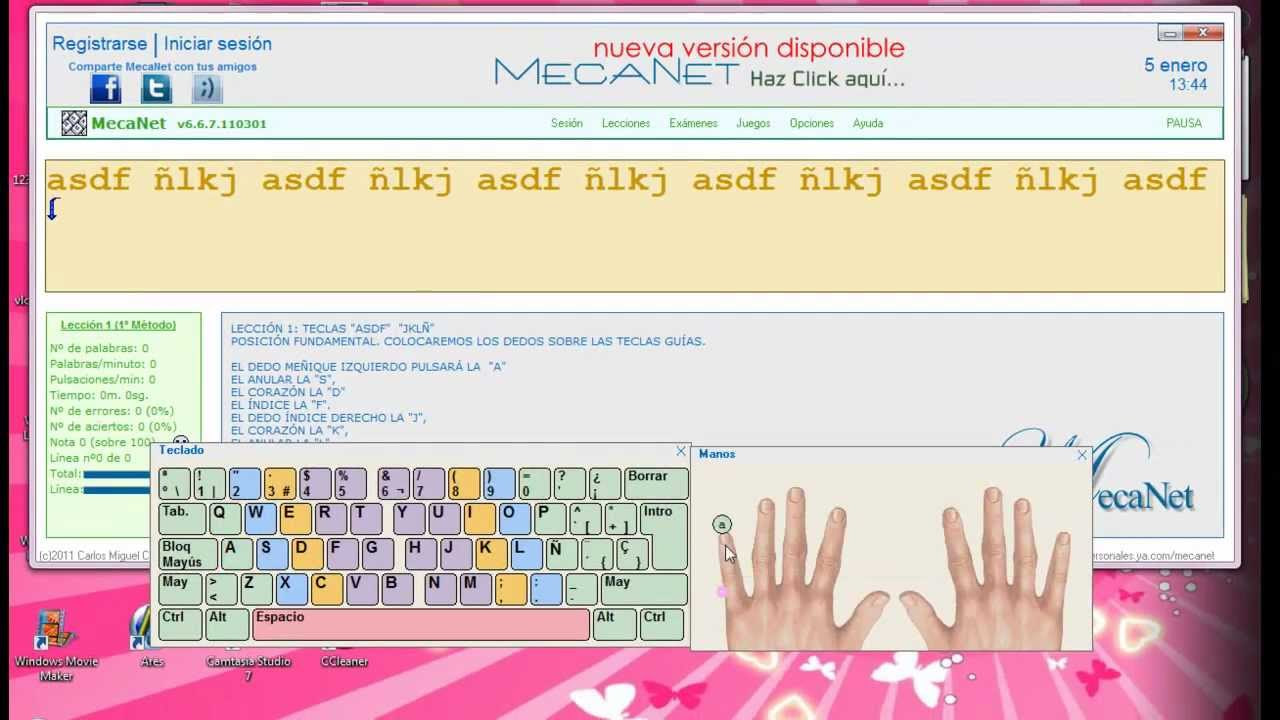
I also recommend using dictation tools. Speech to text has improved enormously in recent years. So much so that, in many cases, dictating can be faster than typing, especially for long ideas, drafts or texts that you can edit afterwards. All of this does translate into useful improvements.
Despite the outcome of my experience with the Dvorak keyboard, other types of keyboards still catch my attention. For example, split keyboards or models with fewer keys and customised configurations, known as Corne keyboards.
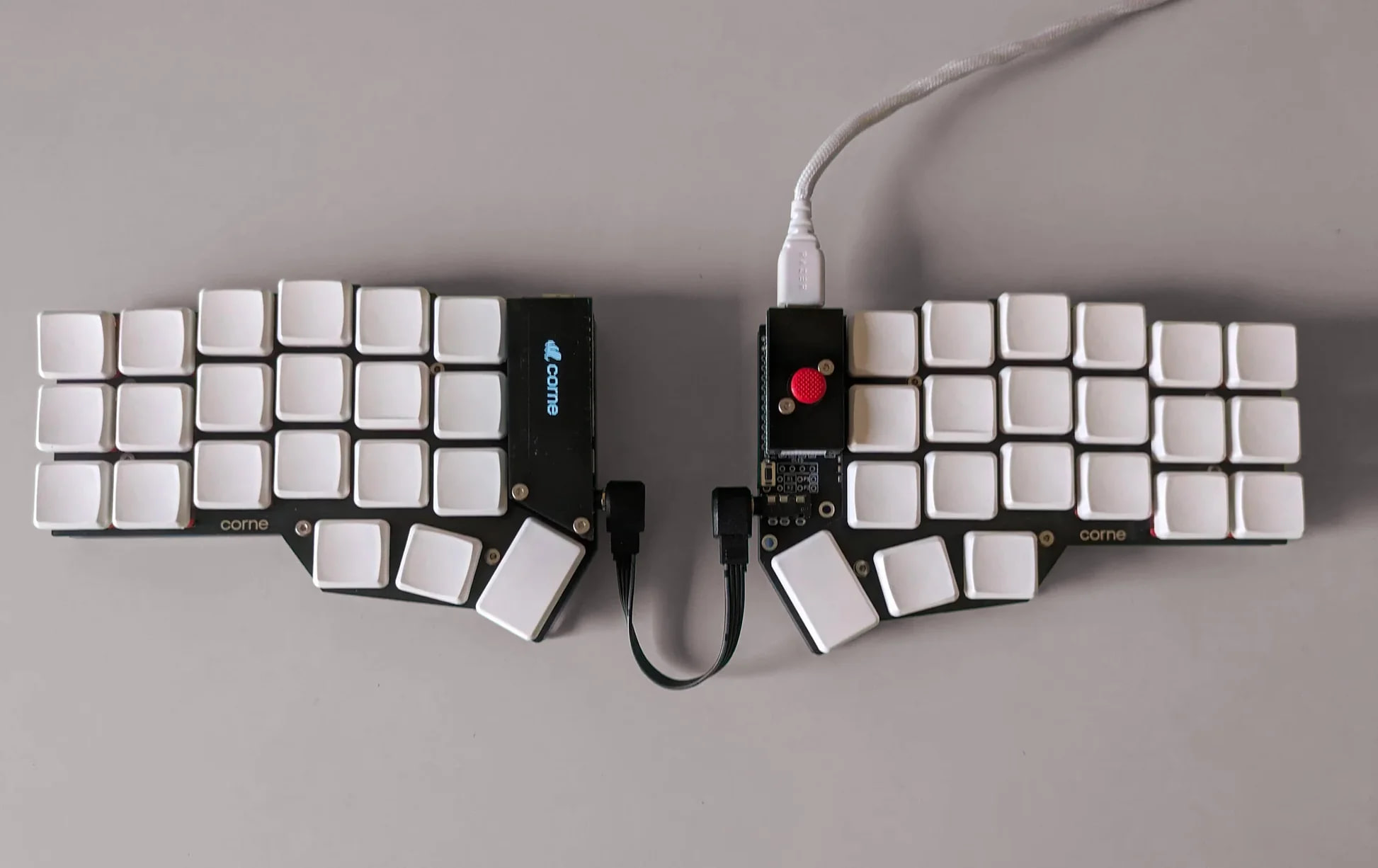
Every time I see one, I get a terrible urge to try it… until I remember my experience with Dvorak.
Anyone who decides to try one should keep in mind that they will need new mental mappings, will have to face a slow learning curve and will need to spend time configuring things, reviewing compatibility and testing programmes that were not designed for that keyboard.
Today, before jumping into similar experiences, I ask myself whether it will really make me more productive or whether I simply feel like trying it because it looks more efficient than something I am already using. And the answer is almost always the same: I would rather spend that time on more important things.
Conclusion: Is Dvorak Worth Using?
In my opinion, no. At least not for most people.
Dvorak may be more comfortable than QWERTY, it may have a better logic behind it and it may reduce certain finger movements, but the cost of switching is too high if you work with different devices, use other people’s computers or need to move around in environments where everything is configured in QWERTY.
QWERTY is not perfect, but it is universal. And that universality has enormous value.
If you want to type faster, my recommendation is much simpler: learn touch typing with all ten fingers and without looking. That really will change the way you use the computer and the time you spend using it. And if you want to go even faster, take a look at dictation tools. They helped me a lot.